
Administration: Manage Designs & Colors
Administration > Manage Designs & Colors
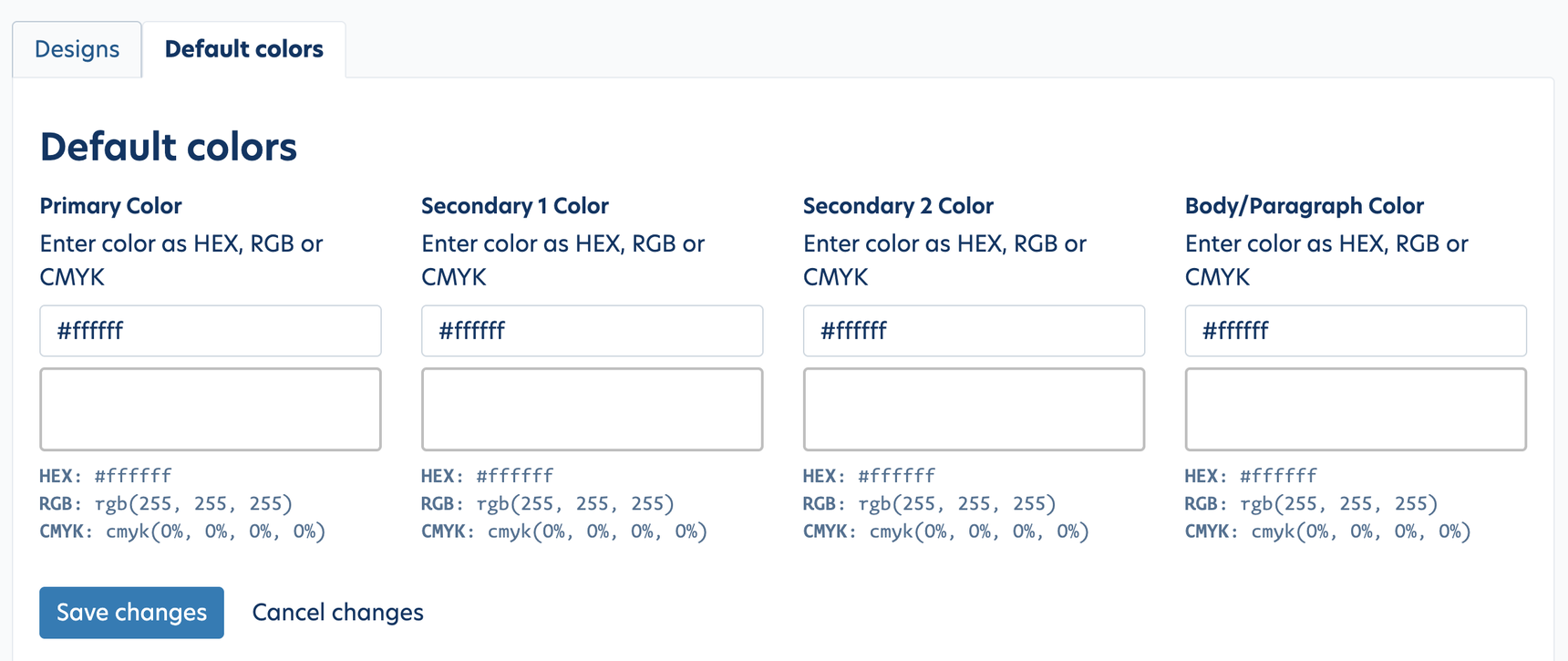
On the Default Colors tab, you can enter your default brand colors. These can then be used for any new report templates.
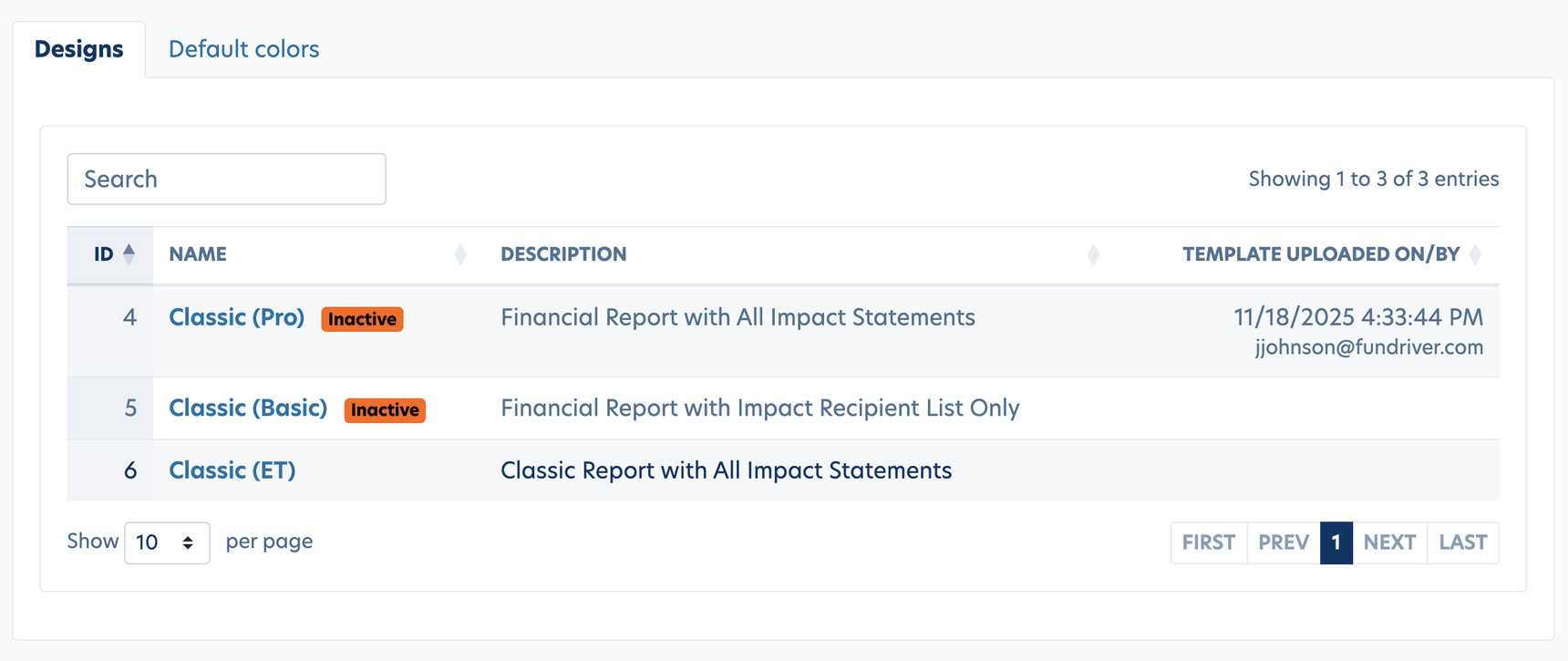
On the Designs tab, you'll find template variations. You will use the Classic (ET) report template. The template is able to use either set Default colors or you can enter custom colors for each template. Note: Our Product team plans to expand the design options here. Having multiple design options would allow you to assign different color variations depending on the design.
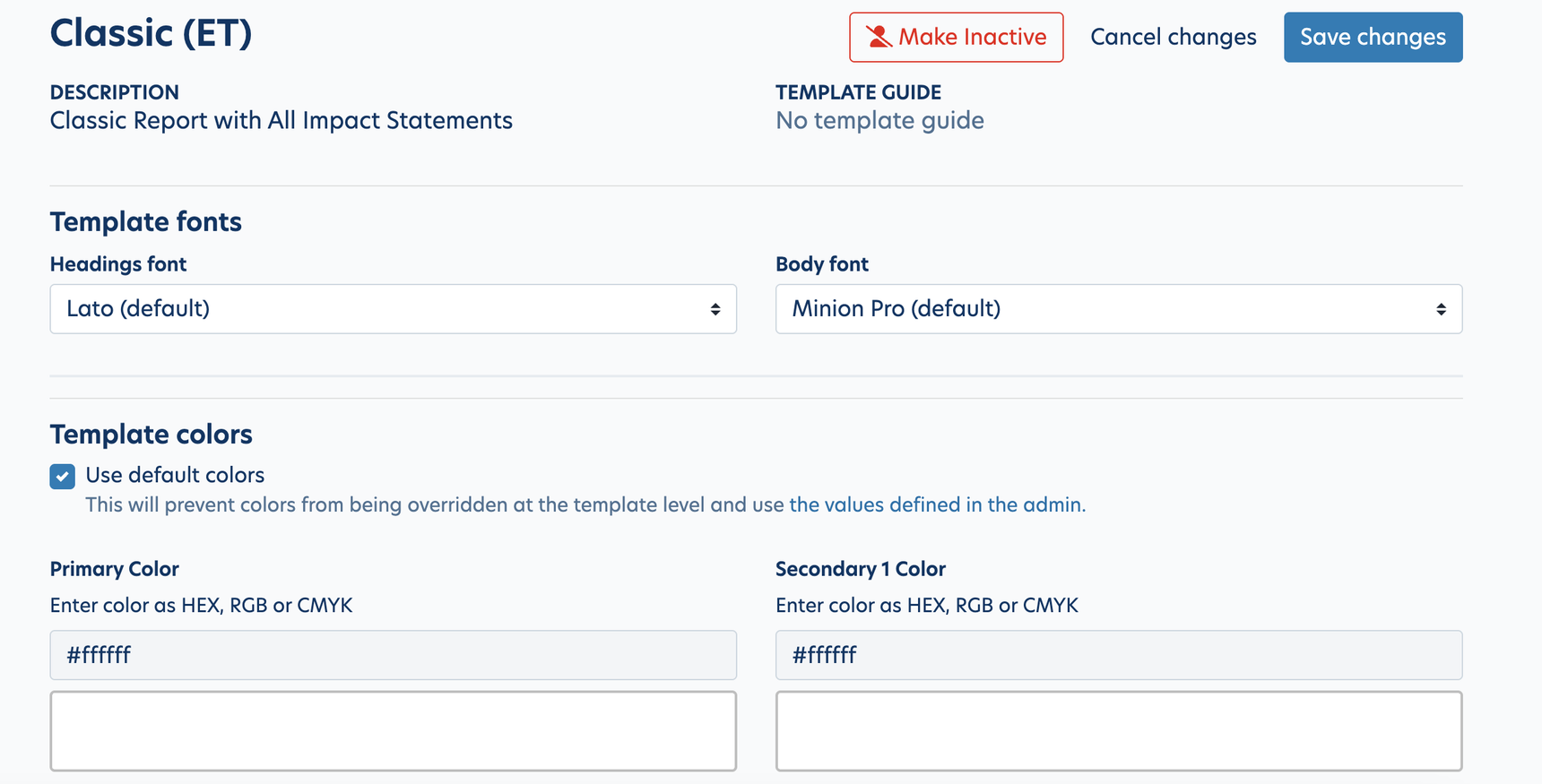
After clicking into the Classic (ET) design, you will find an option to choose the default colors or set new colors for that template. You will also find the option to choose a font.
Tips for entering colors:
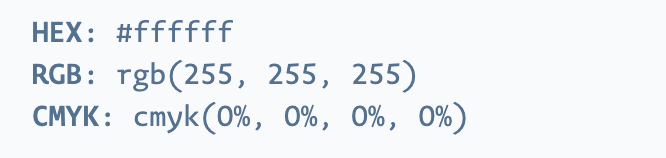
1. You can use HEX, RBG or CMYK formats depending on what your organization provides. If you are planning to PRINT your reports, make sure to use CMYK.
2. Ensure that your colors are formatted correctly using this guide
Reply
Content aside
- 2 mths agoLast active
- 47Views
-
1
Following