
Administration: Manage recipient reporting periods
Administration > Manage recipient reporting periods

At the top of your database, you'll find the "Active Recipient Reporting Period"
- Recipient reporting periods are used for ensuring imports for recipient impacts are associated with the correct active recipient reporting period for reporting.
- Each new fiscal year, you will want to review this information before uploading new recipients.
Updating the reporting period:
- Administration tab
- Add Recipient Reporting Period
- Enter Start Date, End Date and Description (ie Fiscal Year 2026)
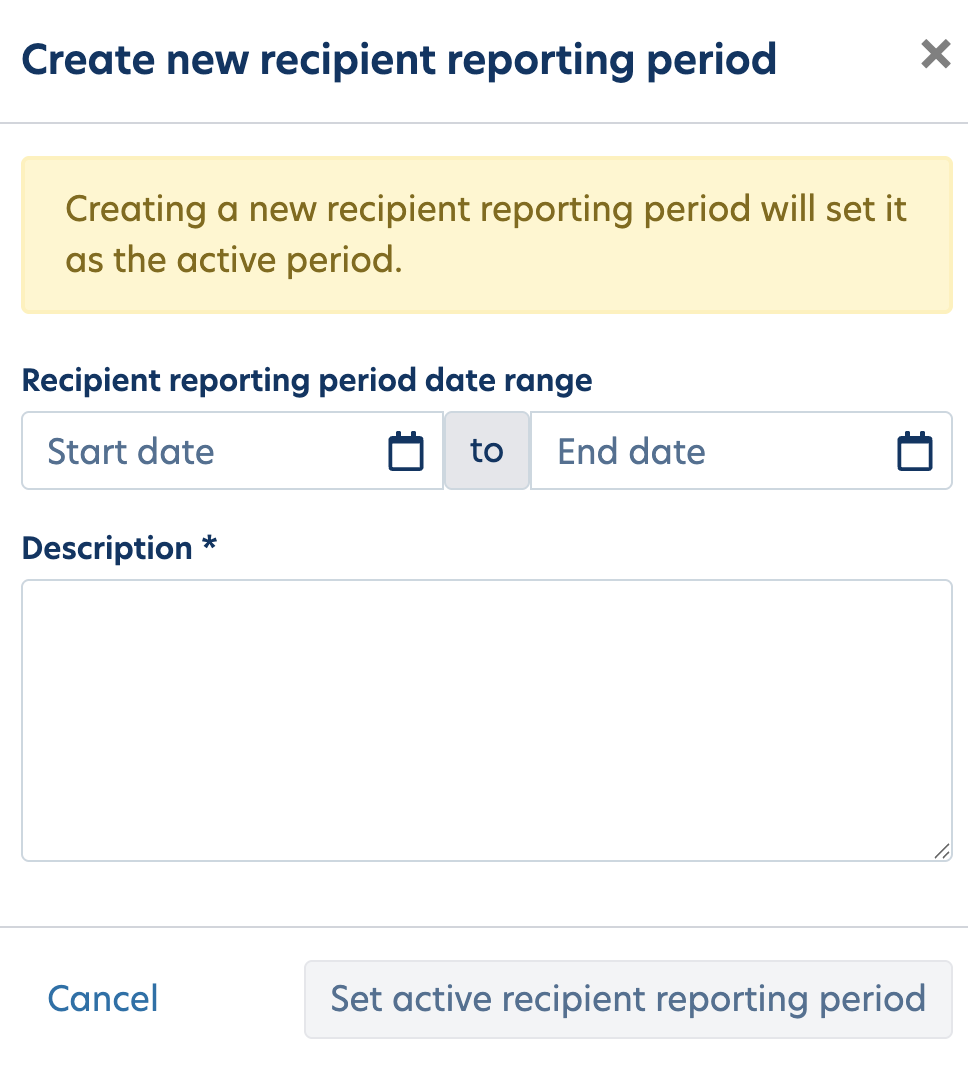
- Click Set active recipient report period. Once saved, refresh the page and the period at the top will update.
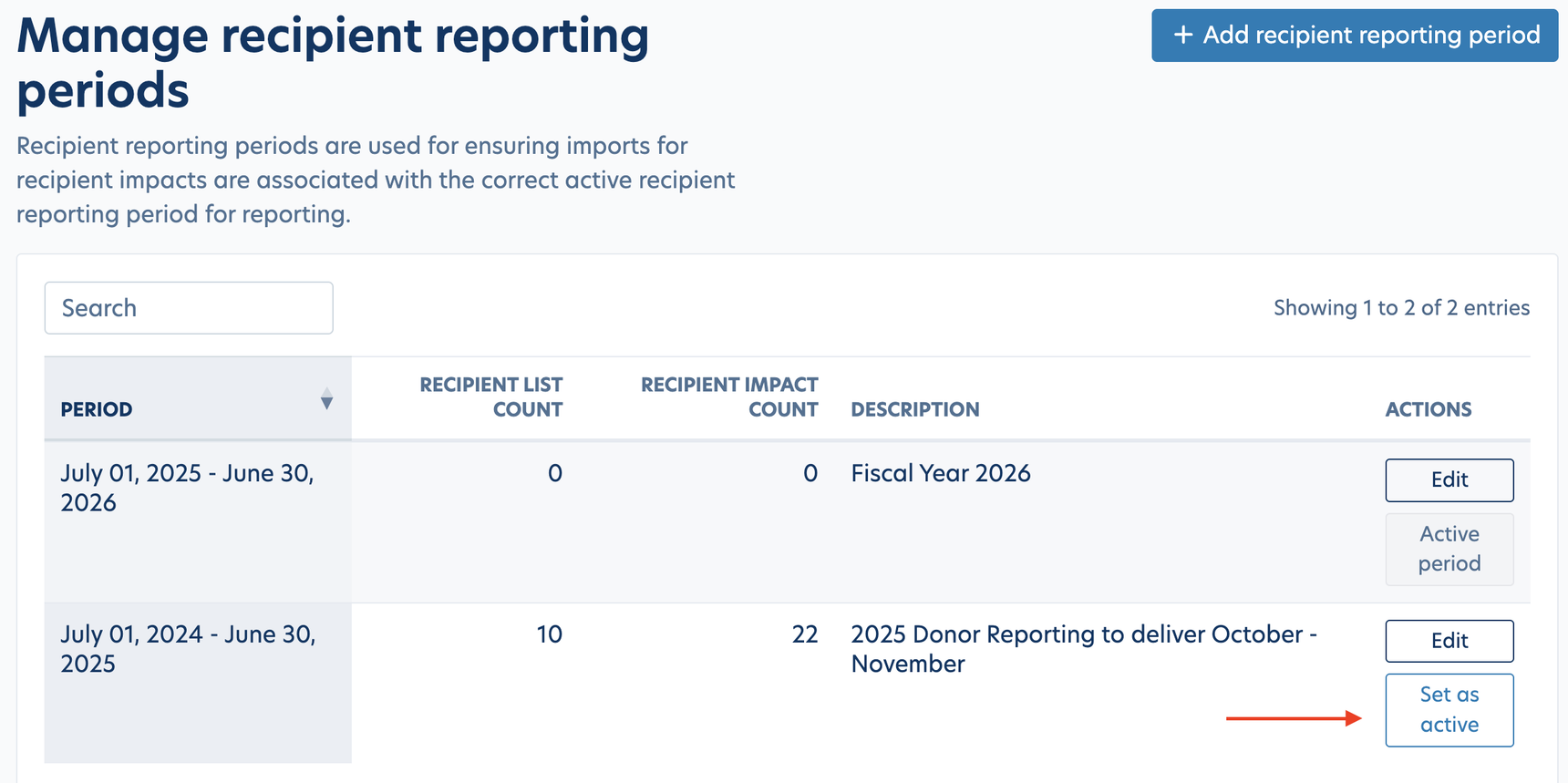
- Note: If you need to revert back to a previous reporting period, click on the button "Set as Active" on the previous dates.
Was this article helpful?
Reply
Content aside
- 5 mths agoLast active
- 17Views
-
1
Following