
Release Notes: October 17, 2026
Release Date: October 17, 2026
Flexible Page Ordering for Report Templates
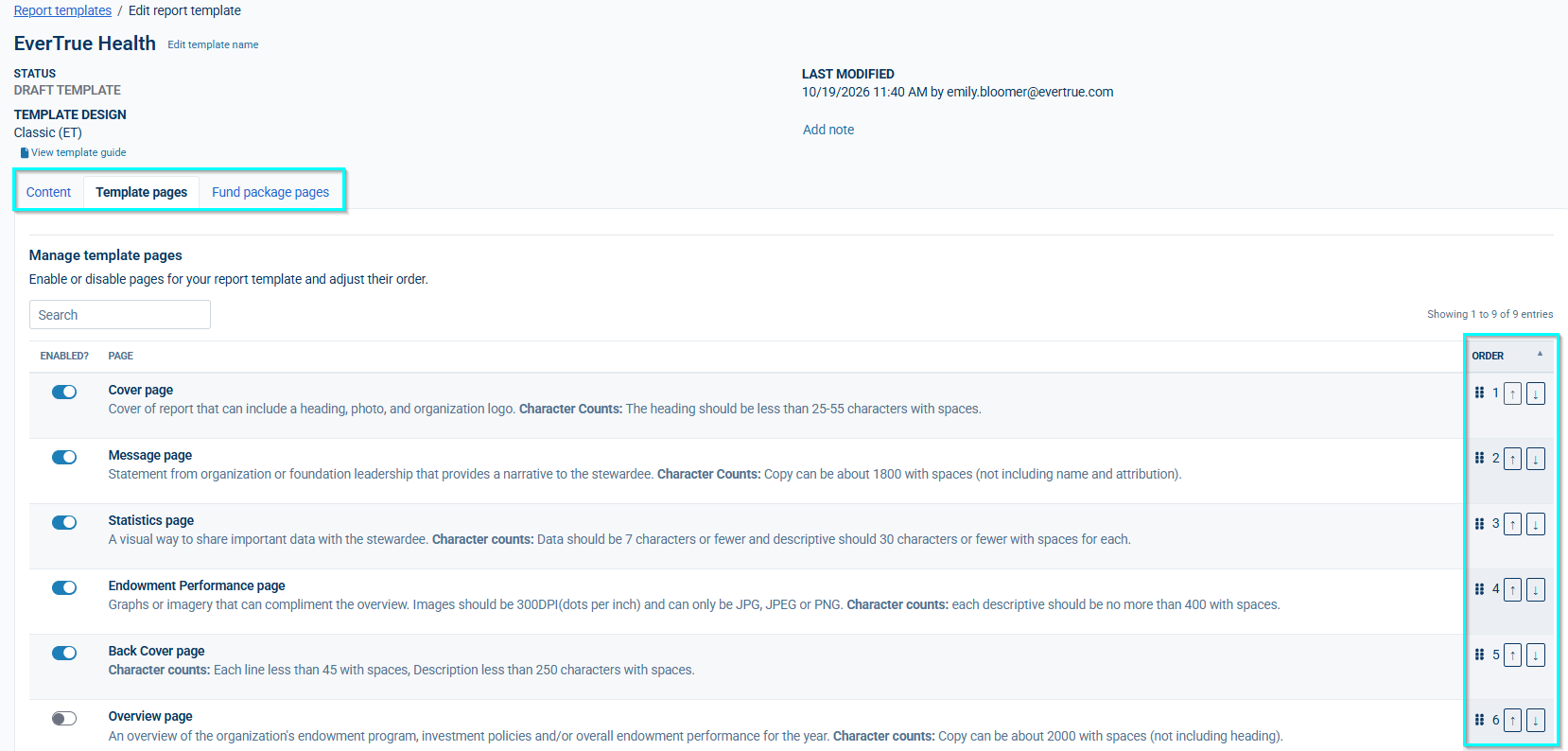
Report Templates now give you direct control over which pages appear in a report and the order they appear in.
Two new tabs, Template Pages and Fund Package Pages, let you turn individual pages on or off and reorder them by drag-and-drop or up/down controls
Changes save automatically as you toggle or reorder — there's no separate Save step for these two tabs
If no Fund Package pages are enabled, that section is simply omitted from the generated report
Content on a disabled page is preserved, not deleted — re-enable a page at any time and its content comes back exactly as you left it
The Content tab now lists only enabled pages, in the order set on the new tabs, keeping page editing focused and uncluttered
New templates now go through a short additional step during creation to turn on and order pages before moving into full editing
For templates with multiple recipient/awardee page versions, the page sequence within a fund can now also be customized so versions render in the order you choose, rather than a fixed default order
Recipient List - Configurable Column Headers
The Recipient List page's column headers (Name, Hometown, Major, Year) can now be customized to fit how your institution labels recipient information.
Defects/Bugs
- Large Report Deliveries - Improved Zip Download Reliability
- Recipient photos now display correctly in the report preview across all layout types.
- Thank You (Horizontal) Page - Spacing between the heading and the photo has been adjusted for better readability
- Report Template Editor - fixed issues with note field and page count displays
Reply
Content aside
- 4 days agoLast active
- 10Views
-
1
Following