
FAQ: I forgot my password! What do I do?
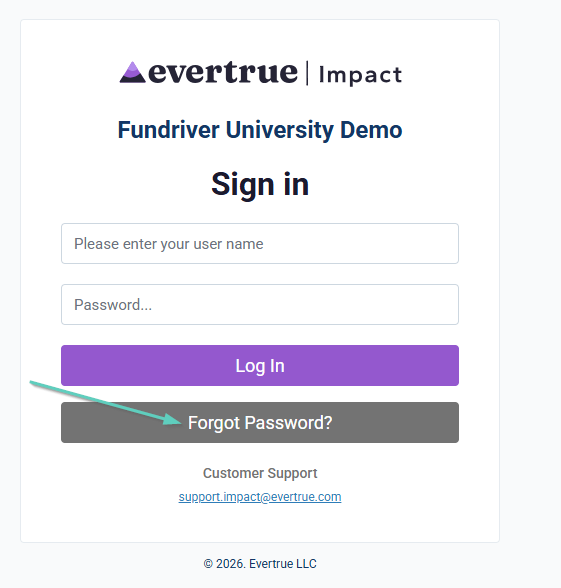
If you forgot your password, simply go to the login page and click on the "Forgot Password?" button to reset it.
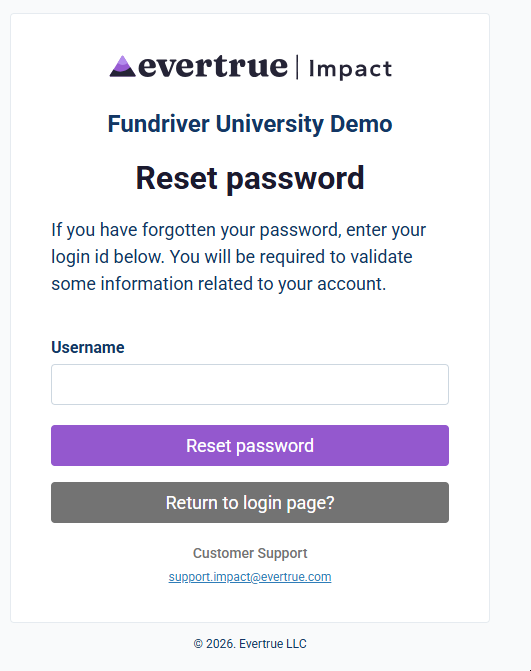
Then enter your username and click 'Reset password'. You will then be prompted to choose a method to receive an access code (via email or text).
Was this article helpful?
Reply
Content aside
- 7 mths agoLast active
- 13Views
-
1
Following